Ergonomic Wireless Keyboards
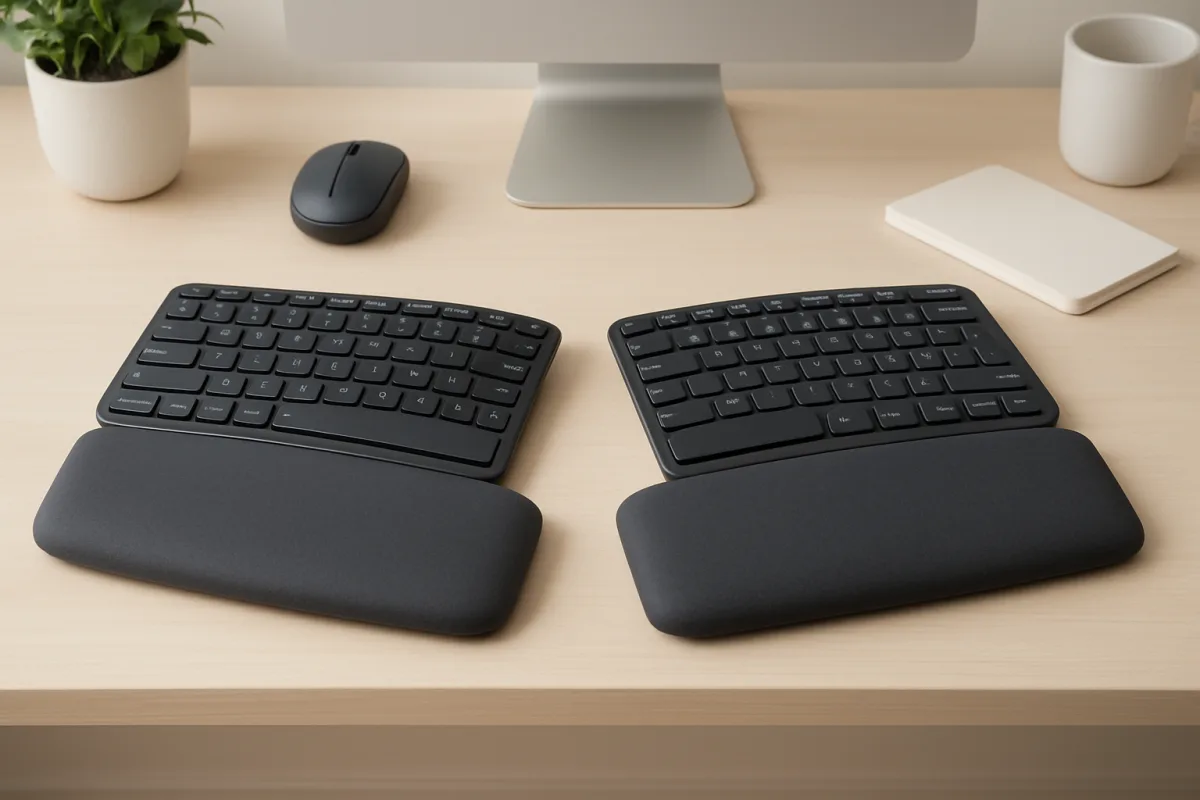
Ergonomic wireless keyboards are designed to enhance comfort and reduce strain during extended typing sessions. Popular options include the Logitech K860, which features a split keyboard design for better wrist alignment, and the Microsoft Sculpt, known for its cushioned palm rest and dome shape. Both options cater to different user preferences, with the K860 being ideal for those who favor a more traditional layout, while the Sculpt offers a unique ergonomic shape. Consider your typing habits and workspace setup when choosing the right model.
Quick Summary
Choosing the right ergonomic wireless keyboard can significantly impact your comfort and productivity. The Logitech K860 and Microsoft Sculpt are two standout options, each offering unique ergonomic features. The K860's split design promotes better wrist alignment, while the Sculpt's dome shape provides a different typing experience. Understanding your personal preferences and typing style will help you make an informed decision. Explore these options to find the best fit for your needs.
Curator Notes
When selecting an ergonomic wireless keyboard, comfort and usability are paramount. The Logitech K860 is a top choice for many users due to its split keyboard design, which allows for a more natural wrist position. This model also features adjustable height settings and a cushioned palm rest, making it suitable for long typing sessions.
Users often report reduced wrist strain and increased typing speed with this keyboard, making it a favorite among professionals who spend hours at their desks. On the other hand, the Microsoft Sculpt Ergonomic Keyboard offers a unique dome shape that encourages a more relaxed wrist posture. Its cushioned palm rest adds to the comfort, and the separate number pad allows for flexible positioning.
This keyboard is particularly beneficial for those who prefer a more pronounced ergonomic design, although some users may find the layout requires an adjustment period. Another noteworthy option is the Keychron K1, which combines a slim profile with wireless functionality. While it may not have the same level of ergonomic features as the K860 or Sculpt, its low-profile keys and sleek design appeal to users who value aesthetics alongside comfort.
This keyboard is ideal for those who want a modern look without sacrificing functionality. When considering these options, think about your typing habits. If you often type for extended periods, investing in a keyboard with strong ergonomic features is crucial.
However, if you occasionally work from different locations, a more portable model like the Keychron may be more suitable. Price is also a factor to consider. The K860 and Sculpt are generally priced higher due to their advanced ergonomic features, while options like the Keychron K1 are more budget-friendly.
Assessing your budget alongside your ergonomic needs will help narrow down your choices. Lastly, user reviews can provide valuable insights into the long-term comfort and durability of these keyboards. Look for feedback on how well they hold up over time and whether users experience any discomfort after prolonged use.
This information can help you make a more informed decision. In summary, the right ergonomic wireless keyboard can enhance your typing experience significantly. Weigh the pros and cons of each option based on your specific needs, and don't hesitate to try them out if possible to find the best fit for your workspace.
Recommended Options
- Logitech K860: Best for Users seeking a split keyboard design for better wrist alignment Offers adjustable height and cushioned palm rest for enhanced comfort. Signal checked: Highly rated for reducing wrist strain during long typing sessions. Alternative to consider: Microsoft Sculpt Ergonomic Keyboard
- Microsoft Sculpt: Best for Users preferring a dome-shaped ergonomic design Features a cushioned palm rest and separate number pad for flexibility. Signal checked: Popular among users for its unique ergonomic shape. Alternative to consider: Logitech K860
- Keychron K1: Best for Users looking for a slim, portable keyboard Combines a modern design with wireless functionality. Signal checked: Well-reviewed for its aesthetics and low-profile keys. Alternative to consider: Logitech K860
Best Sources
Videos and Community Signals
These are our top 🖐️ picks for ergonomic keyboards, hands down! Make typing a breeze, not a squeeze! Find them all at the ...
The Top 5 Best Ergonomic Keyboards for 2026 1. Backlit Bluetooth Ergonomic Keyboard, ProtoArc EK01 Plus Full Size Wireless ...
Comparison
| Decision Point | Good Starting Choice | When to Go Further |
|---|---|---|
| Design Type | Logitech K860 - Split design for natural wrist position | Microsoft Sculpt - Dome shape for relaxed wrist posture |
| Comfort Features | Logitech K860 - Cushioned palm rest and adjustable height | Microsoft Sculpt - Cushioned palm rest with separate number pad |
| Portability | Keychron K1 - Slim profile for easy transport | Logitech K860 - Bulkier, better for stationary use |
FAQ
An ergonomic wireless keyboard is designed to minimize strain on the hands and wrists during typing, often featuring split designs, cushioned palm rests, and adjustable heights.
Consider your typing habits, workspace setup, and personal comfort preferences. Try different models to see which design feels best for you.
Yes, they can significantly reduce discomfort and improve typing efficiency, especially for those who spend long hours typing.